
Check in without a photo. Your browser asks for location permission and the attendance record stores coordinates, accuracy and server time.
Preview: this function is not available end to end in the supplied staging source.
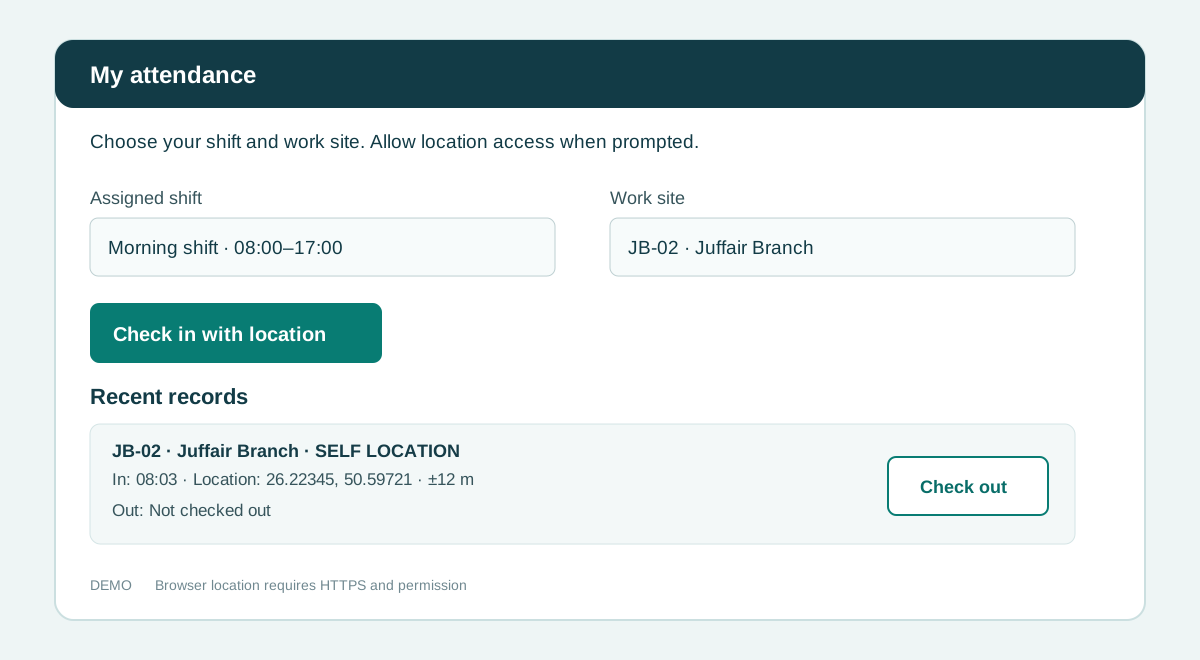
How to use this function
- Open Attendance in your company or provider workspace.
- Choose your assigned shift and work site.
- Choose Check in with location and allow browser location access.
- Review your check-in time and recorded location under Recent records.
- Check out when leaving. A supervisor can confirm or correct the record.
Fields and controls shown in the demo
- Assigned shift
- Work site
- Check in with location
- Location permission
- Recent records
- Check out
Guide updated 2026-09-30. Release changes must update this page and its image together.