Review the coverage snapshot associated with directly delegated work and maintain your partner profile.
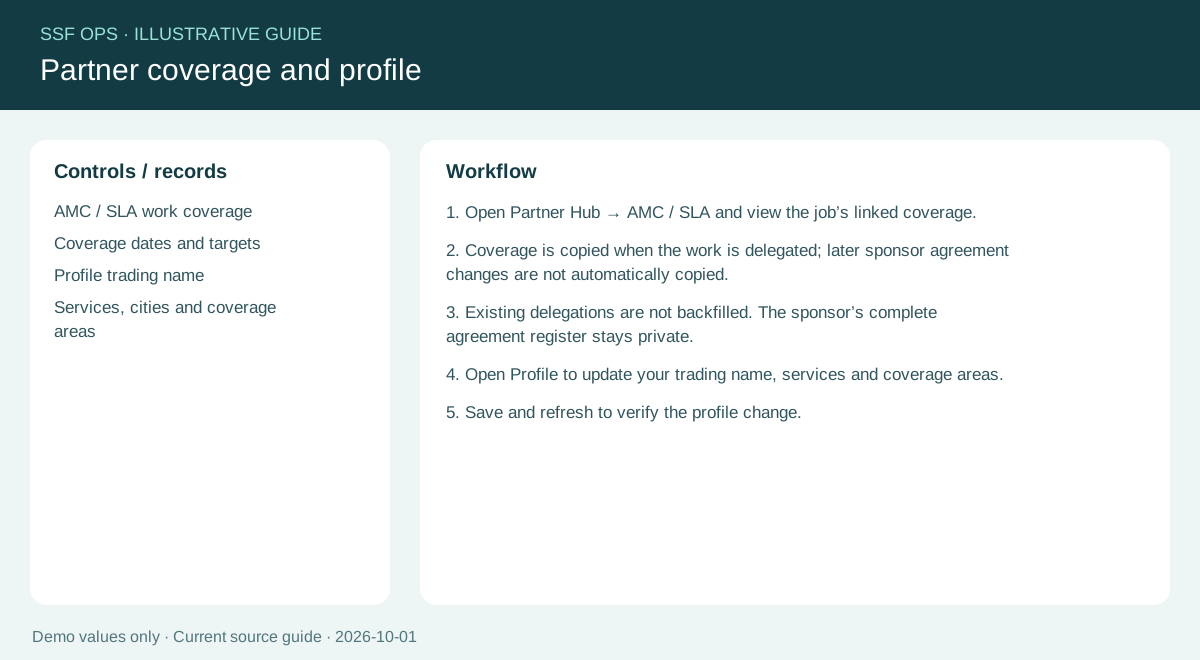
How to use this function
- The sponsoring company links AMC/SLA coverage to its original work order before delegation.
- Open Partner Hub → AMC / SLA and view the job coverage: agreement reference, date-only coverage period, response and resolution targets, coverage window and notes.
- Later sponsor edits do not silently change an existing delegated snapshot. This does not expose the sponsor’s complete agreement register.
- The displayed targets are coverage information; deadline alerts and escalation behavior still require separate verification.
- Use Profile for partner capabilities and Document identity for quotation/invoice branding.
Fields and controls shown in the demo
- AMC / SLA work coverage
- Coverage dates and targets
- Profile trading name
- Services, cities and coverage areas
Guide updated 2026-10-03. Release changes must update this page and its image together.